Take the road worth remembering.

Multi-stop road trips, planned around places that deserve your time.

Download on the App Store
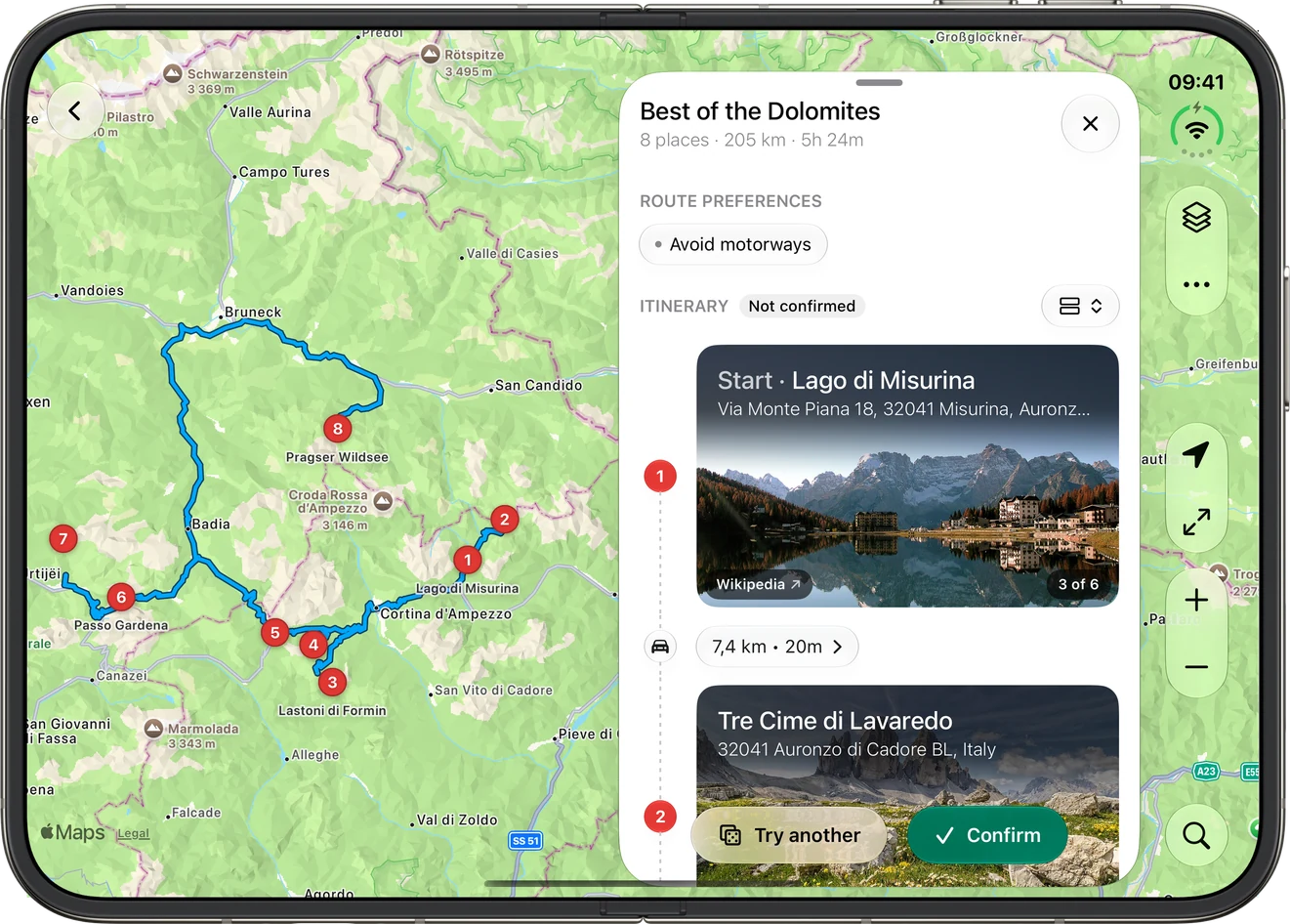
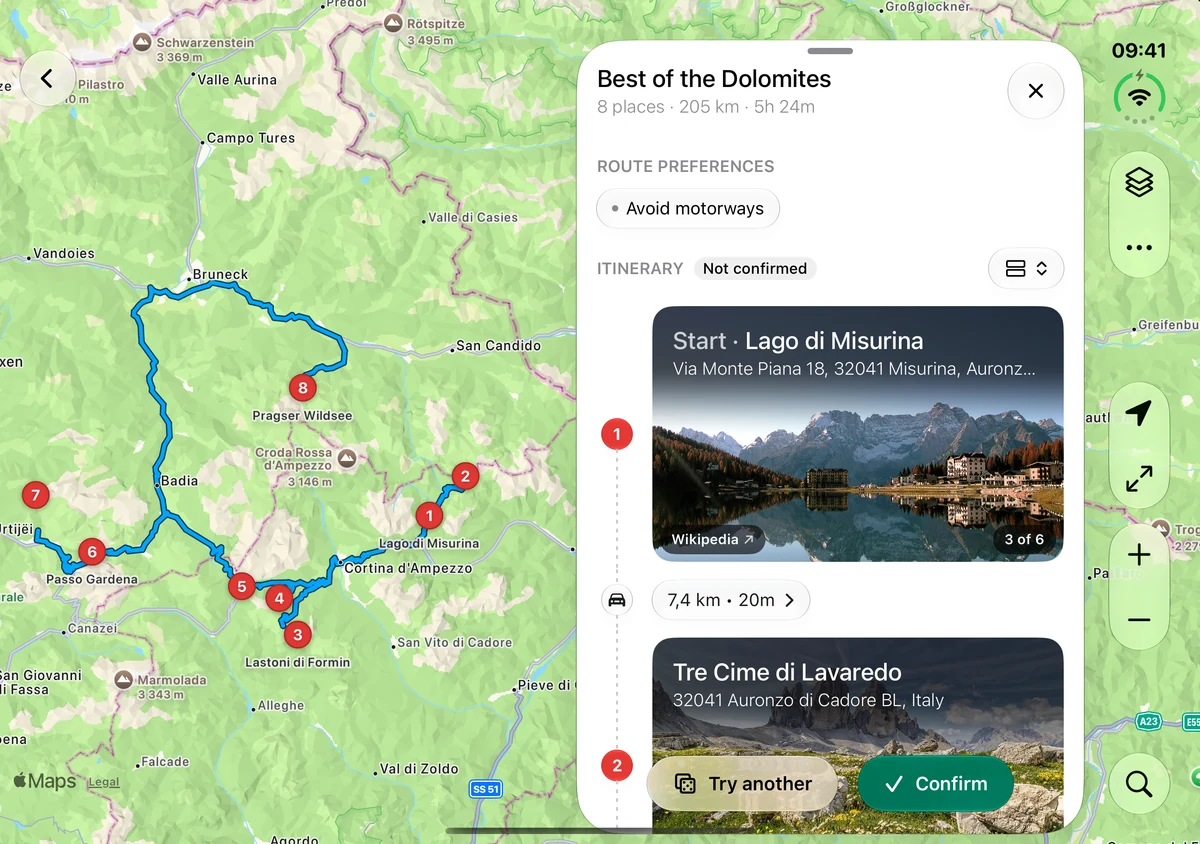
iPhone Duo open, with Detour's map of a Dolomites loop and the trip's stops beside it.

Great road trips are made of great stops. Detour finds the stops worth pulling over for and plans the drive between them, for a day out or a whole trip.

Detour at a glance.

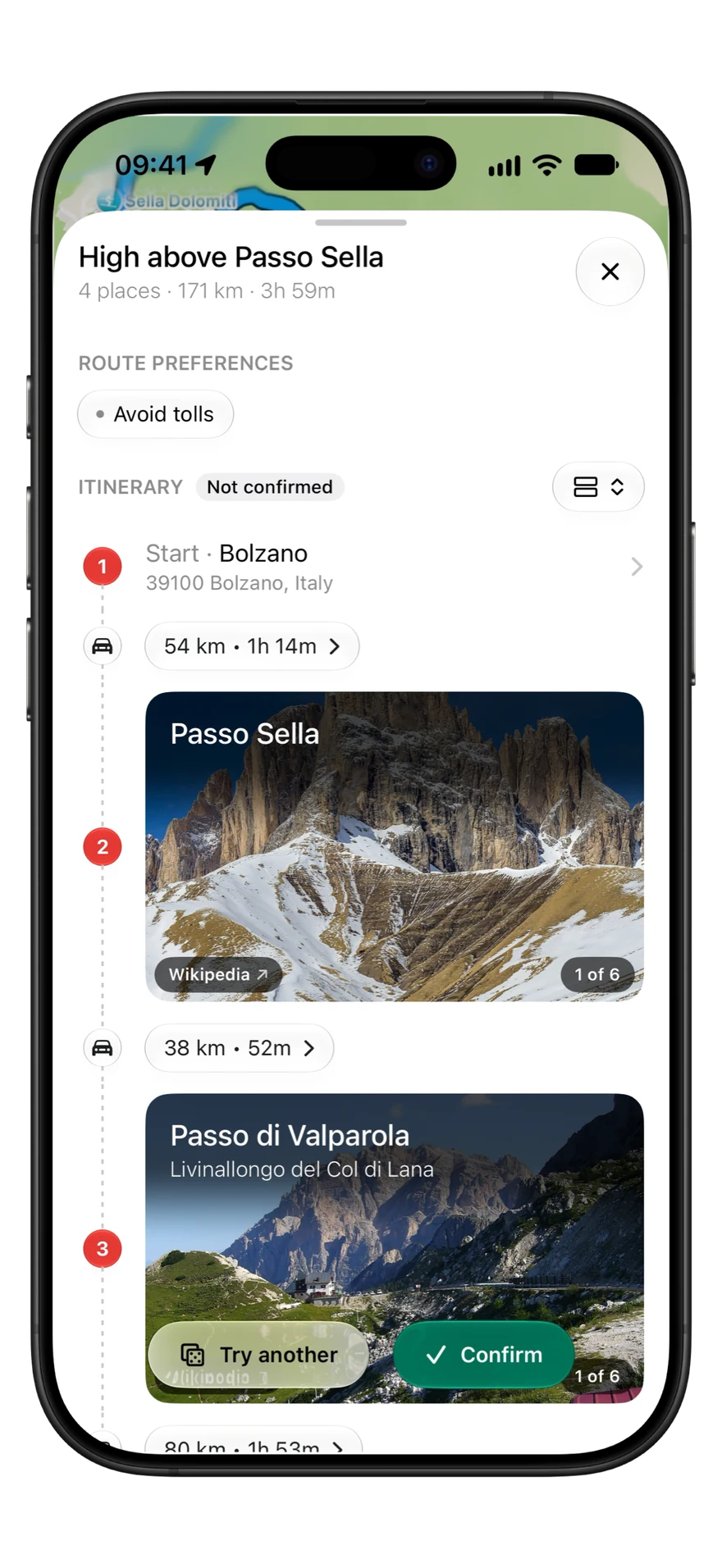
  • A day Detour built from a start in Bolzano, with Passo Sella and Passo di Valparola as stops, and Try another and Confirm.

    Don't know where to go? Detour builds the day.

    Pick a start and how far you like to drive. Keep, swap or skip any stop.

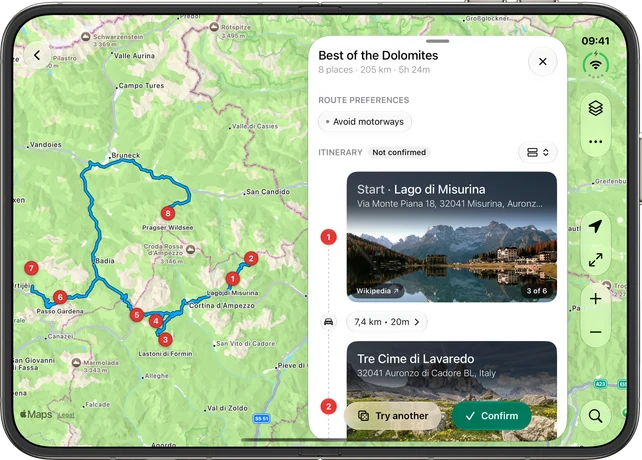
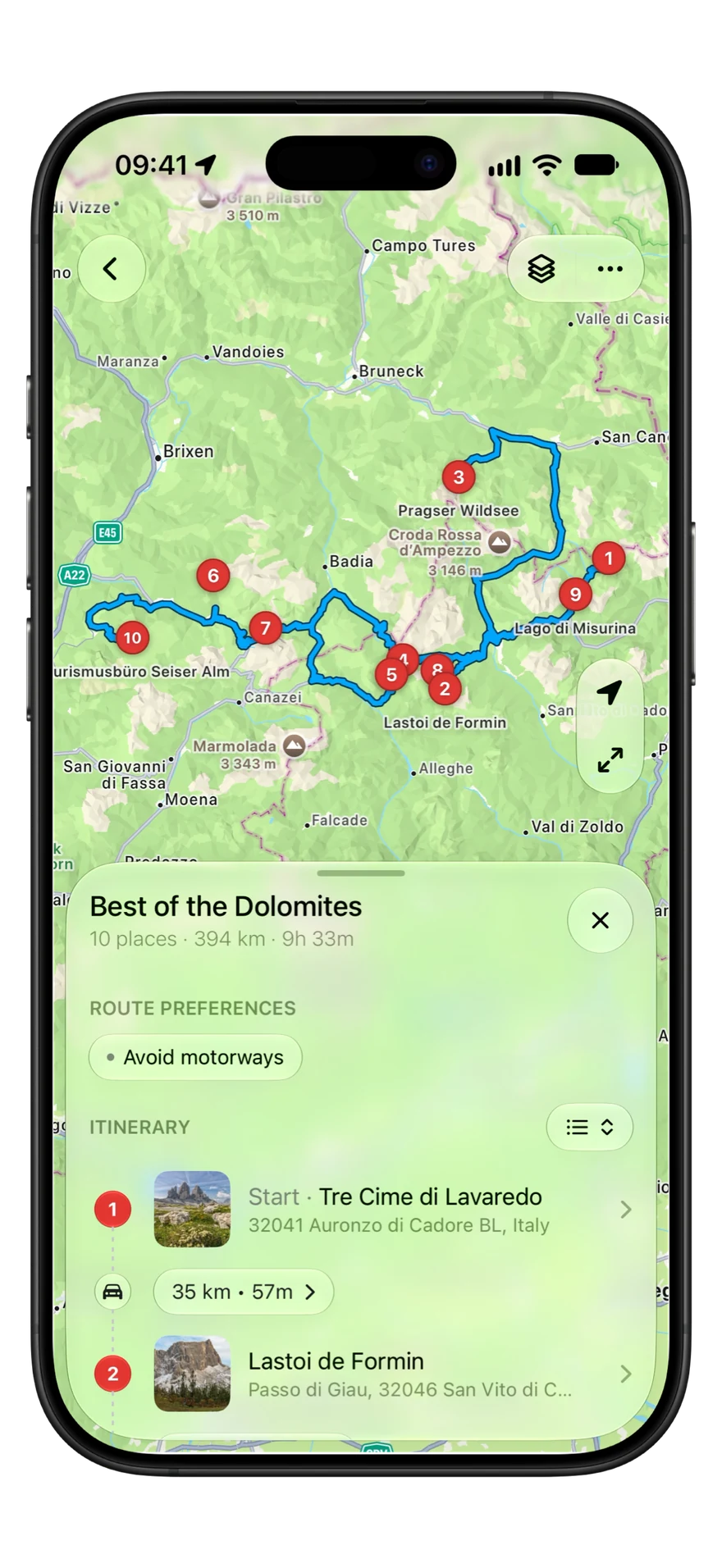
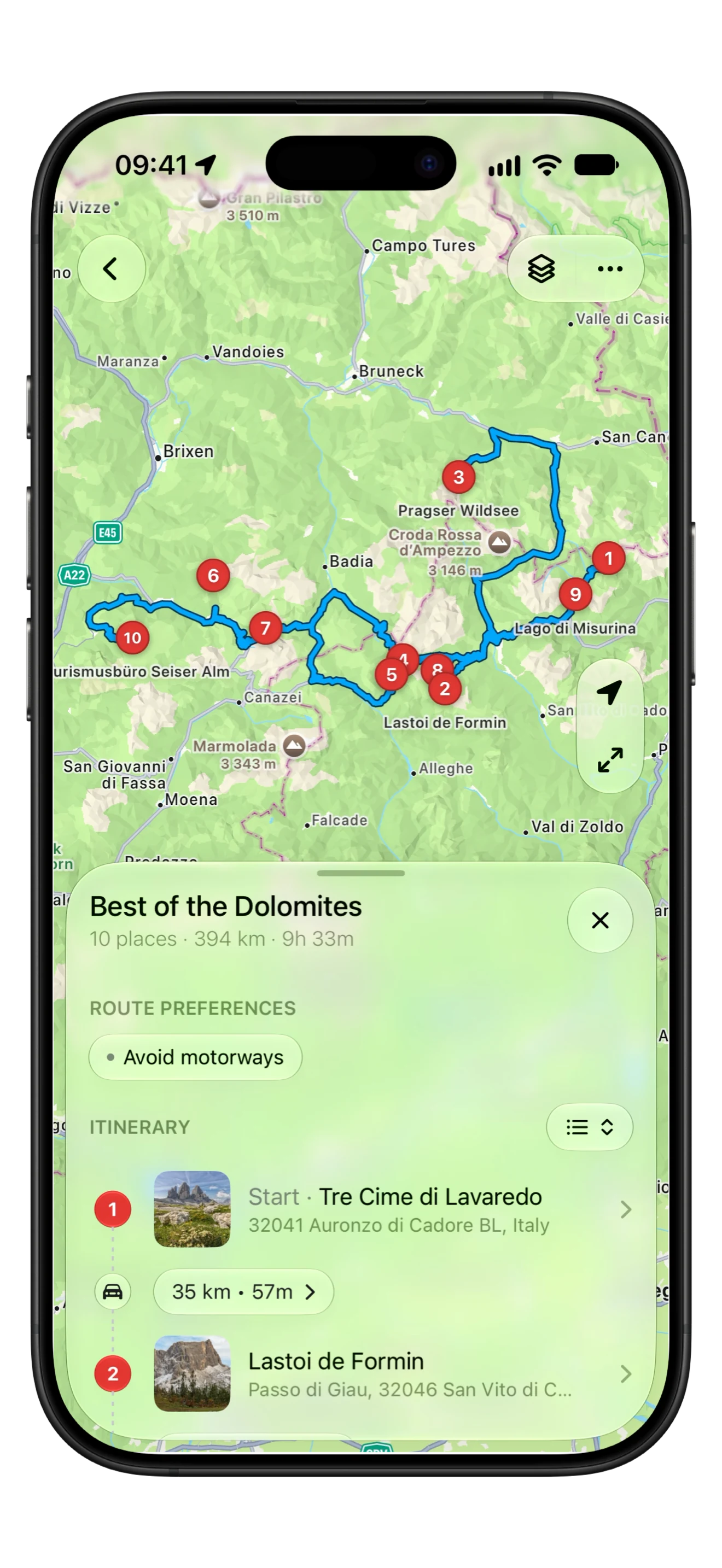
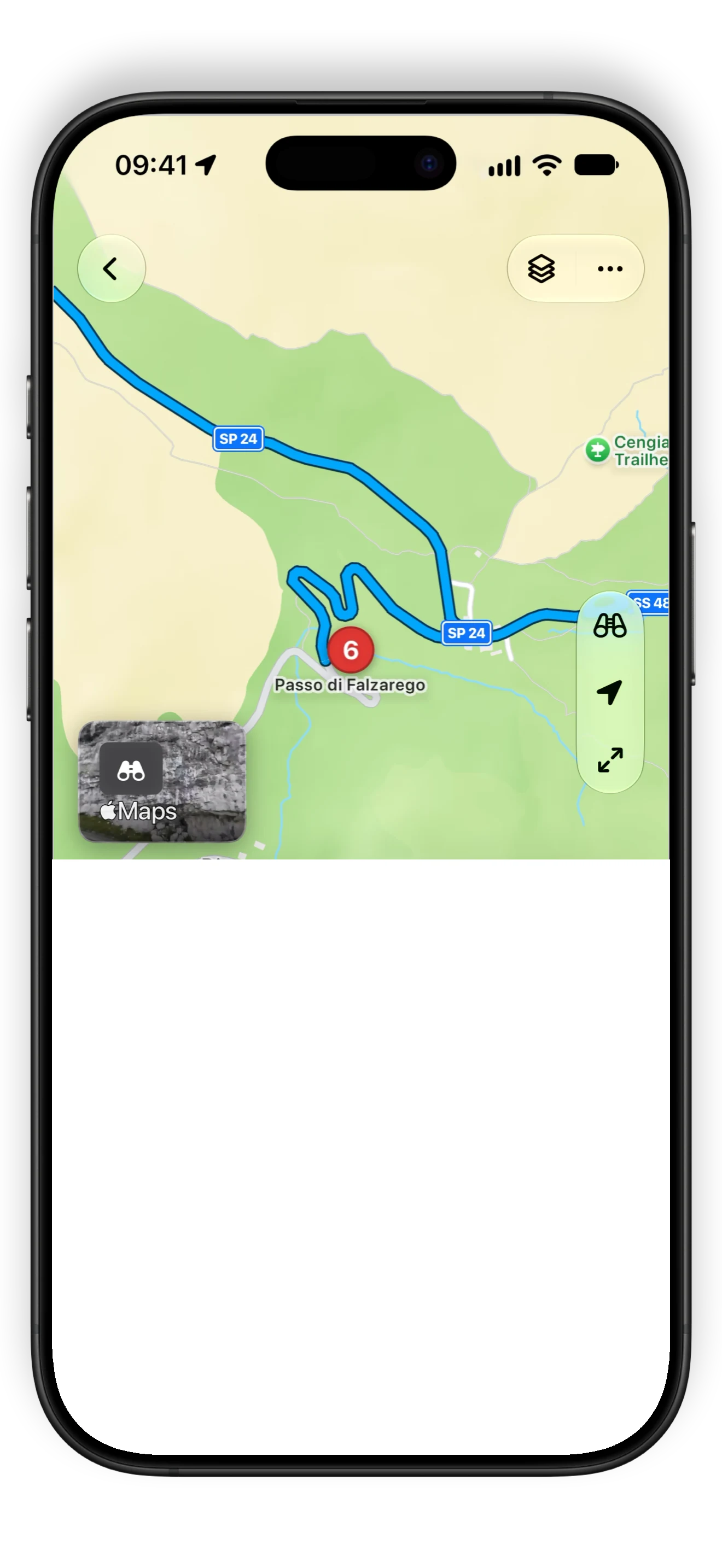
  • Detour showing Best of the Dolomites on the map: ten numbered stops on one route, with the itinerary below.

    Every stop on one map. Every leg routed.

    Add the places you know. The distance and time for the whole day, kept up to date.

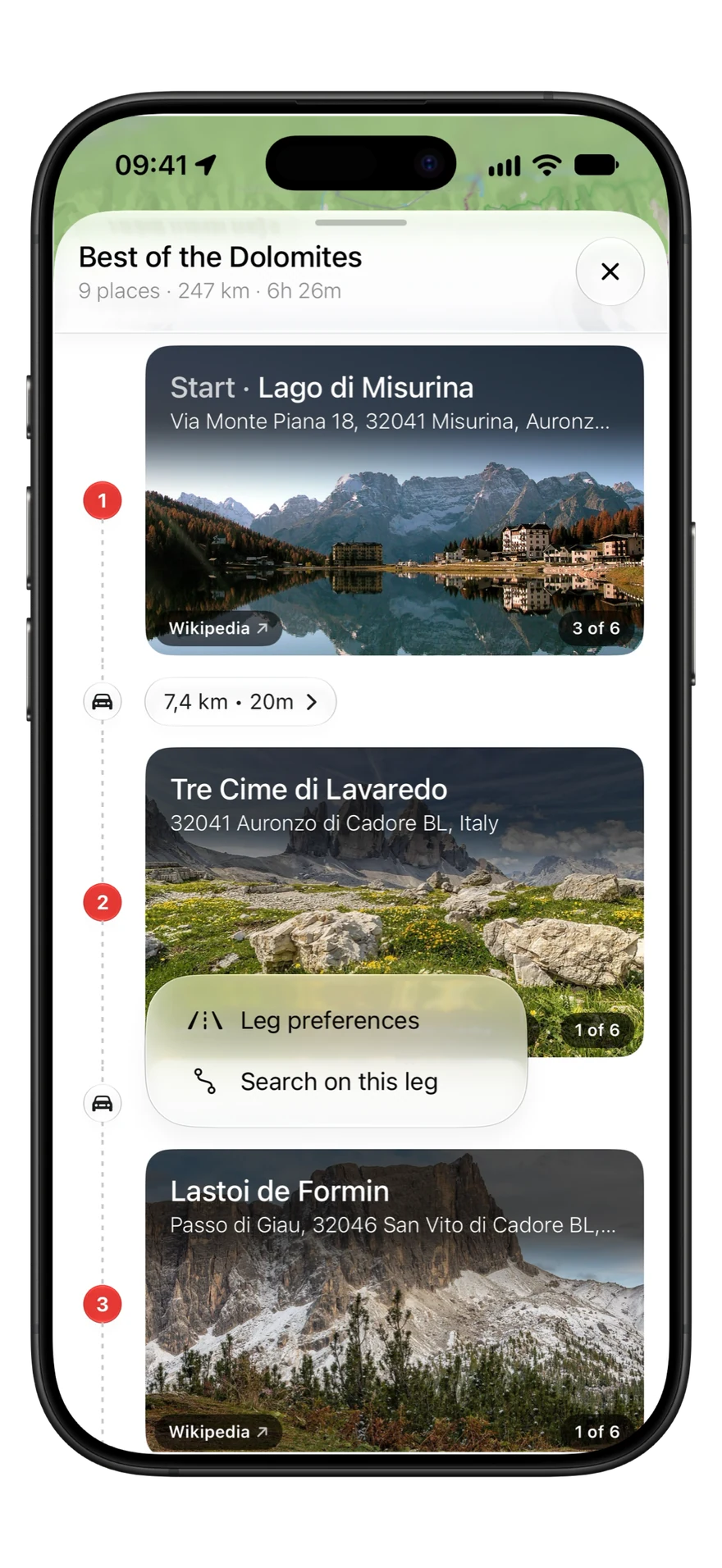
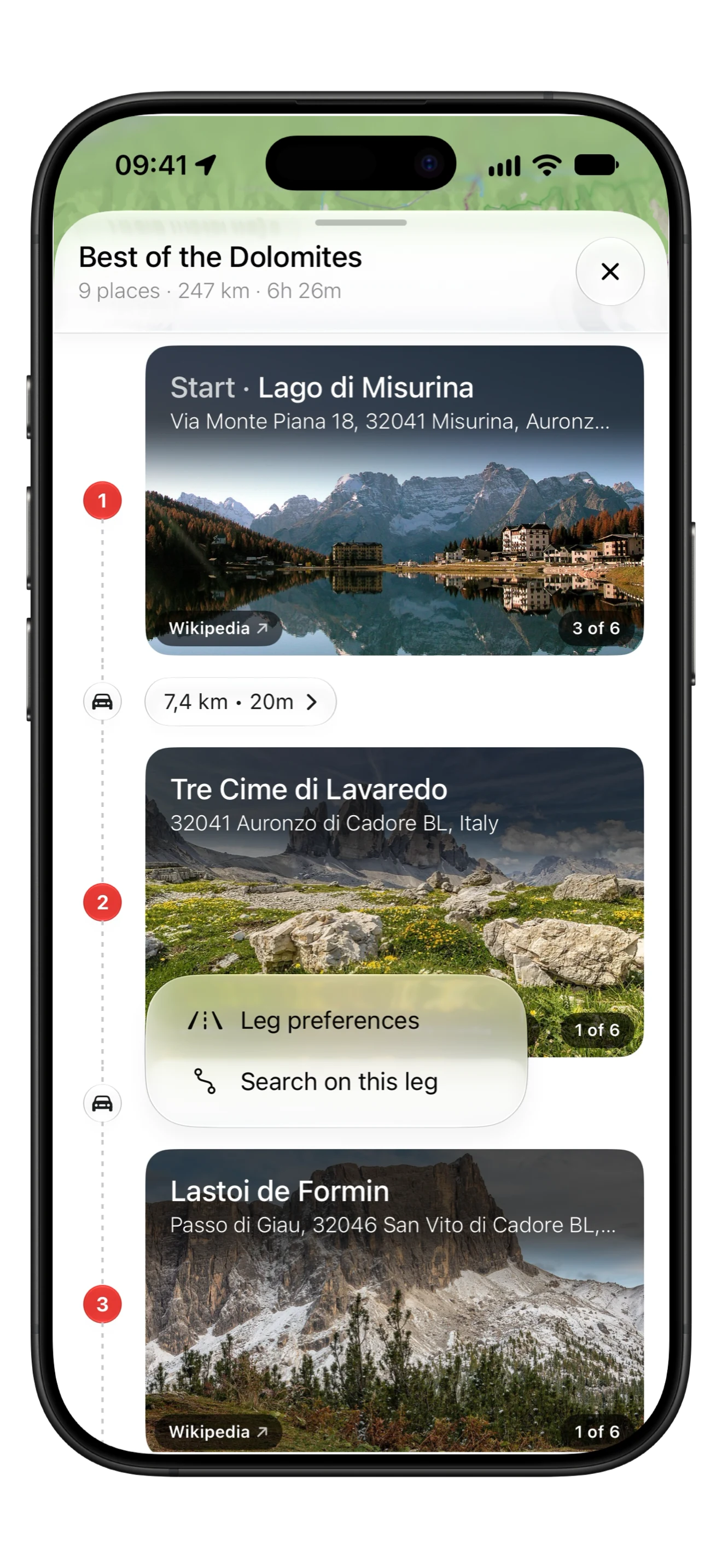
  • A Dolomites trip in Detour with a leg's menu open: Leg preferences, to keep that leg off tolls, motorways, ferries or unpaved roads, and Search on this leg.

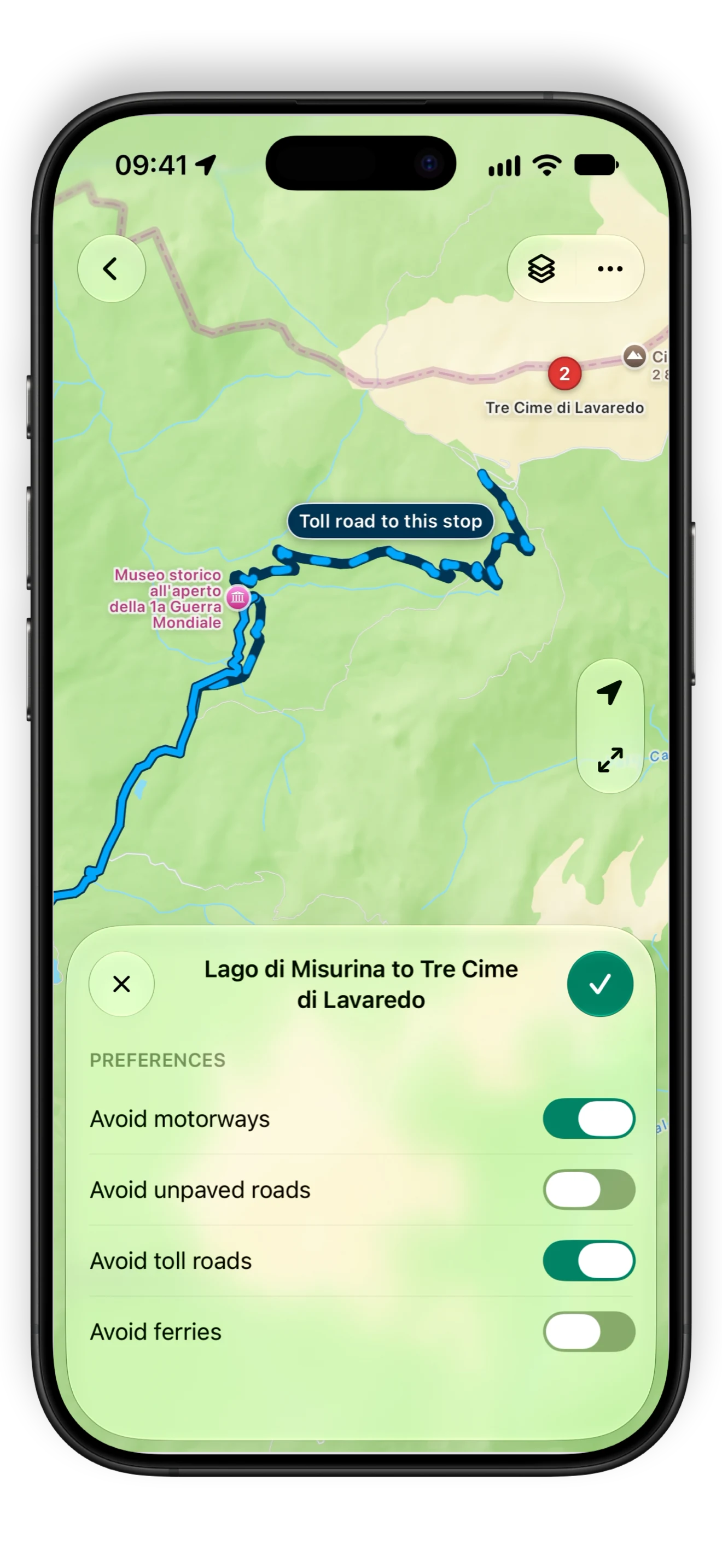
    The quickest way, minus the roads you'd rather skip.

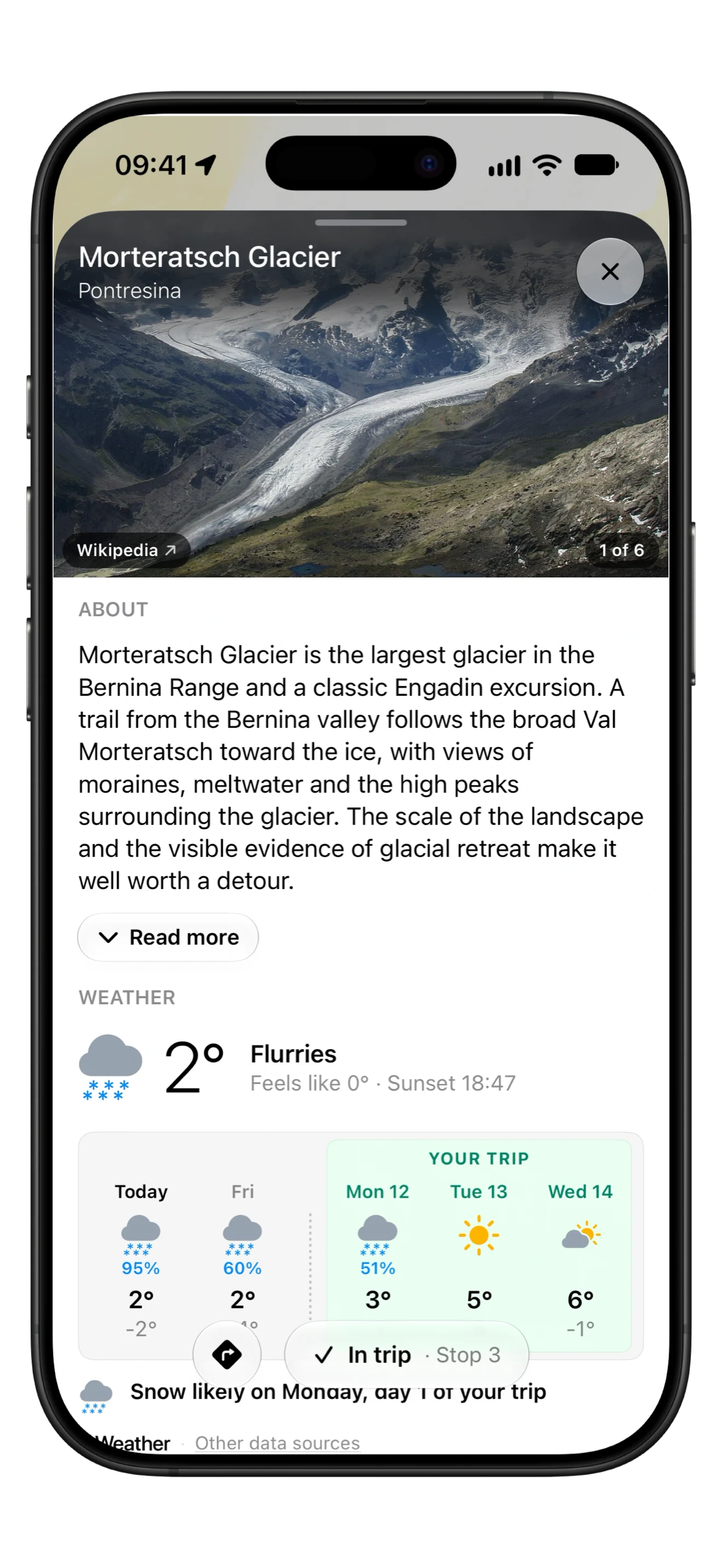
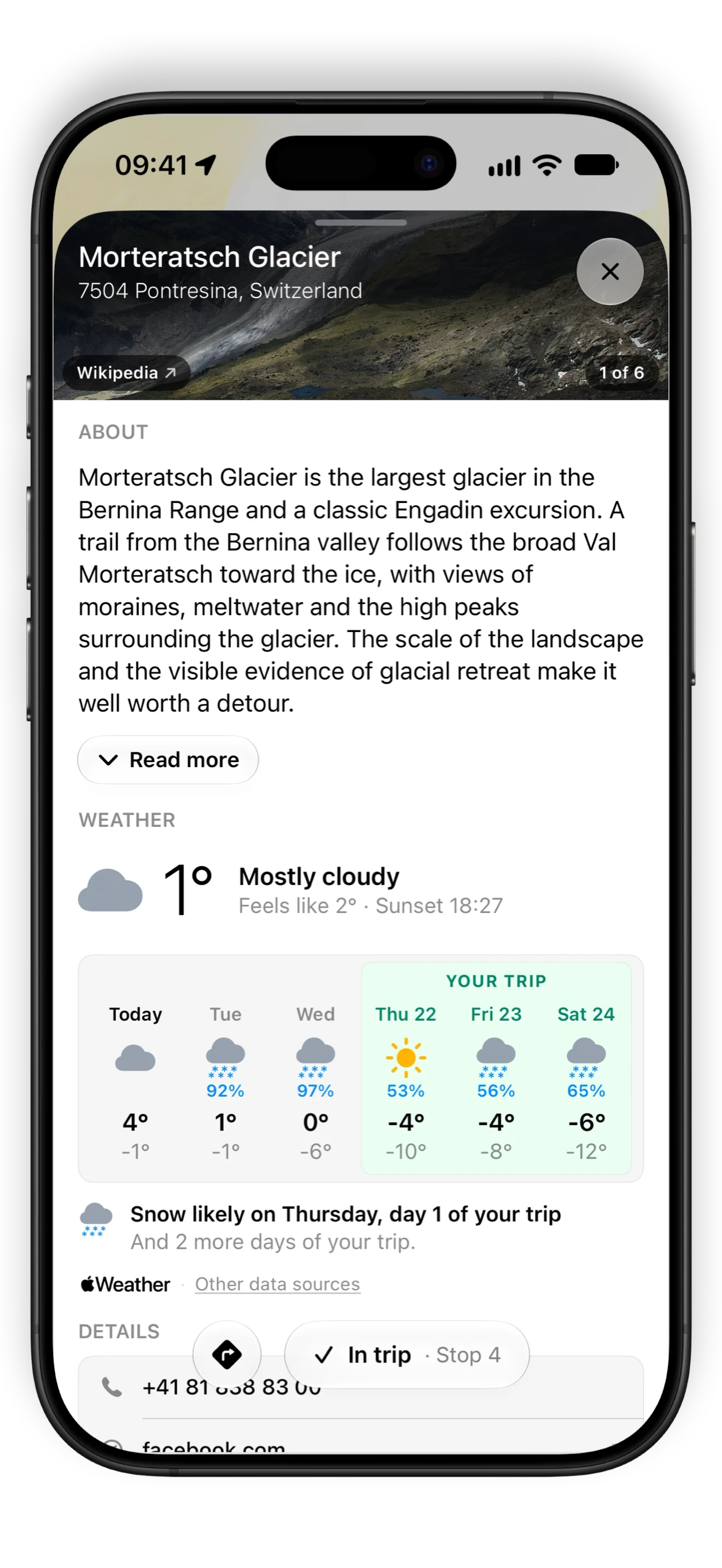
  • The Morteratsch Glacier place card: its photos and the start of its write-up.

    See every stop before you get there.

  • iPhone Duo open, with Detour's map of a Dolomites loop and the trip's stops beside it.

    Open it up. The map on one side, your trip on the other.

    Fold it shut and keep planning on the cover.

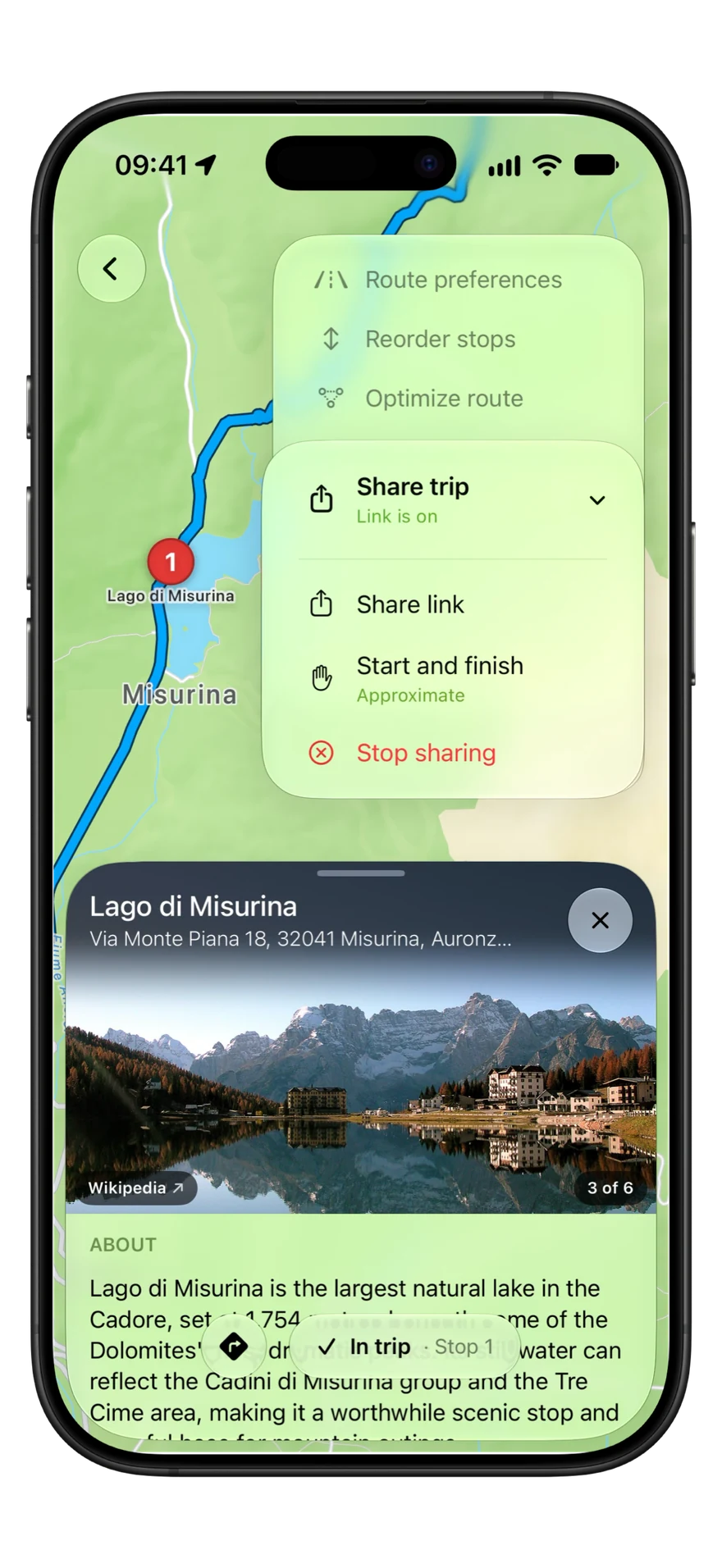
  • The Share trip menu in Detour, with the trip's link turned on.

    Send the trip in one link.

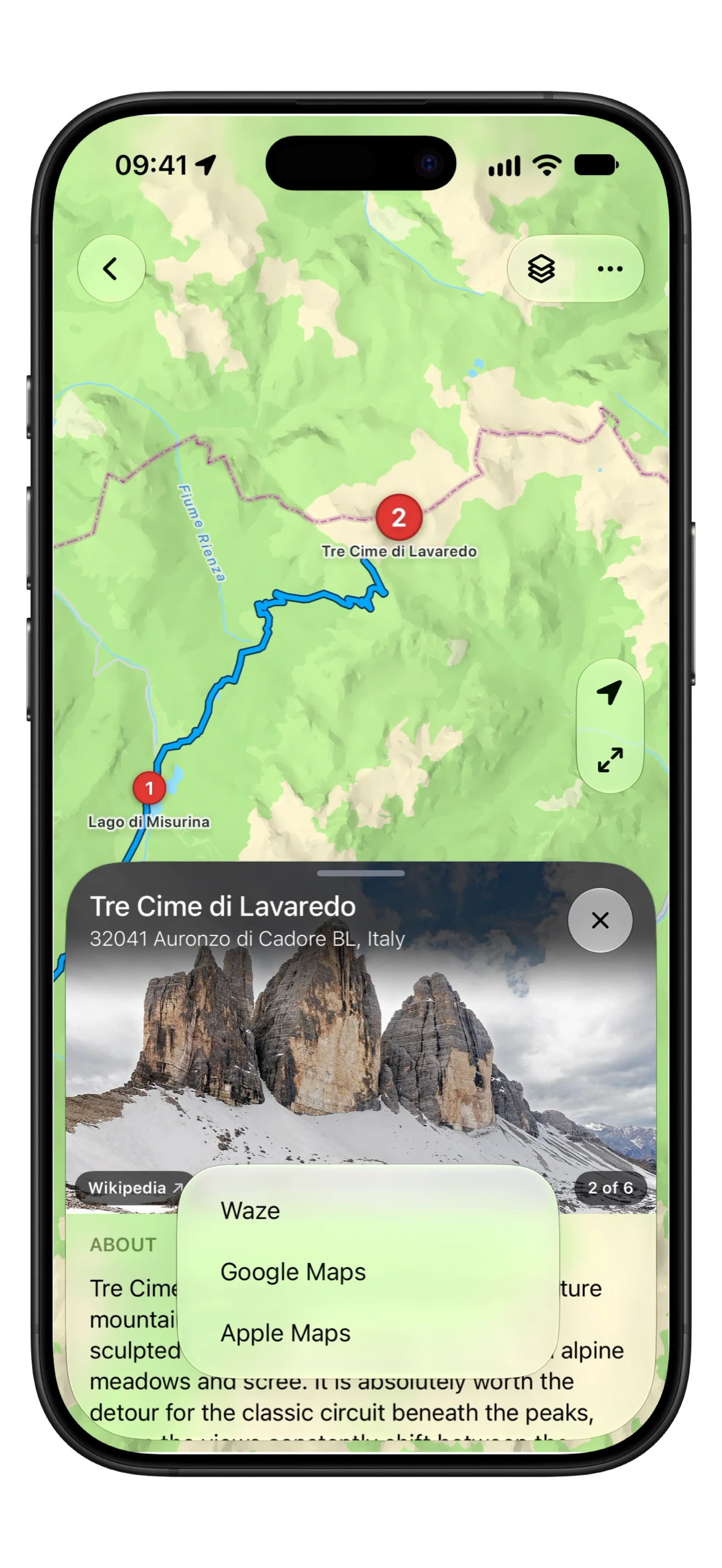
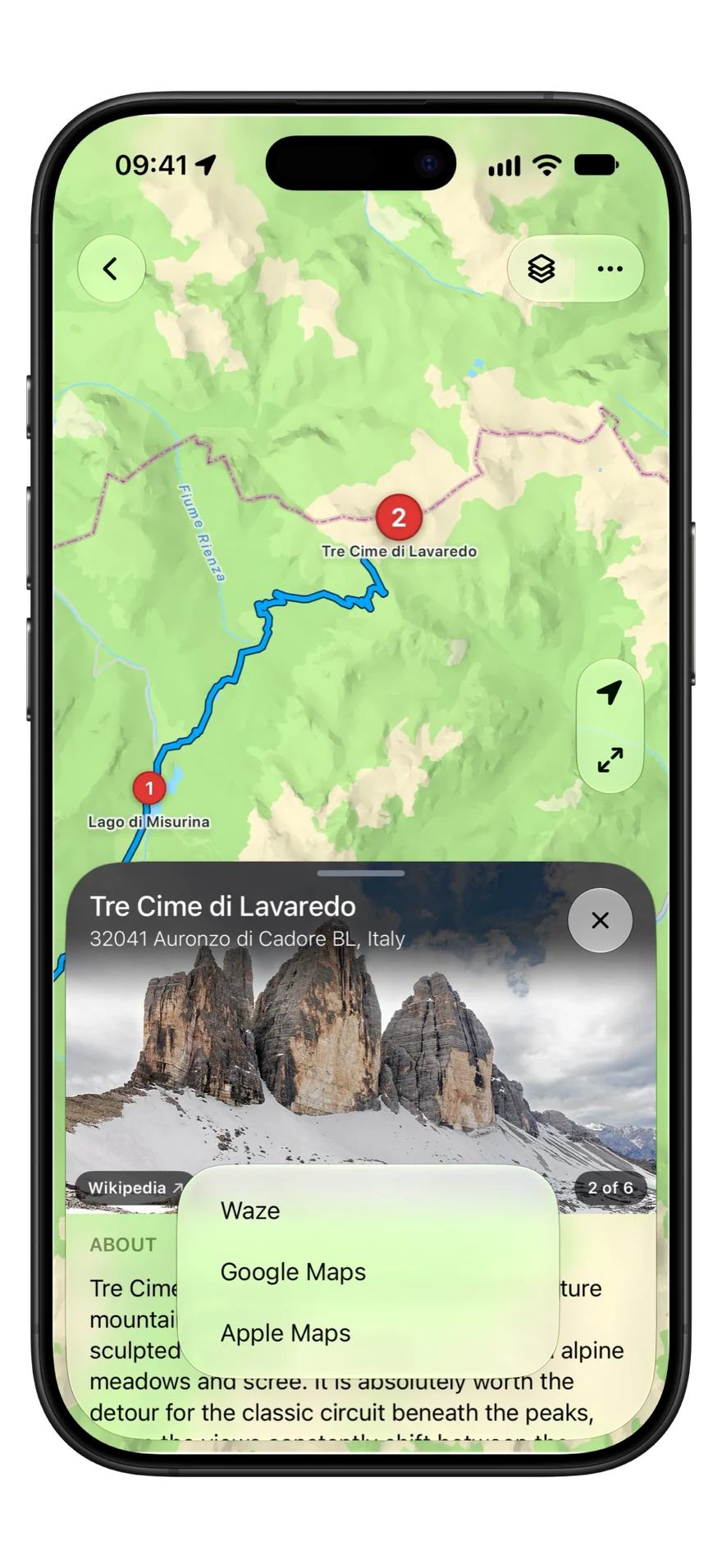
  • Detour handing a stop to a maps app: Apple Maps, Google Maps or Waze.

    Hand any stop to the maps app you use.

    Apple Maps, Google Maps or Waze, remembered for next time.

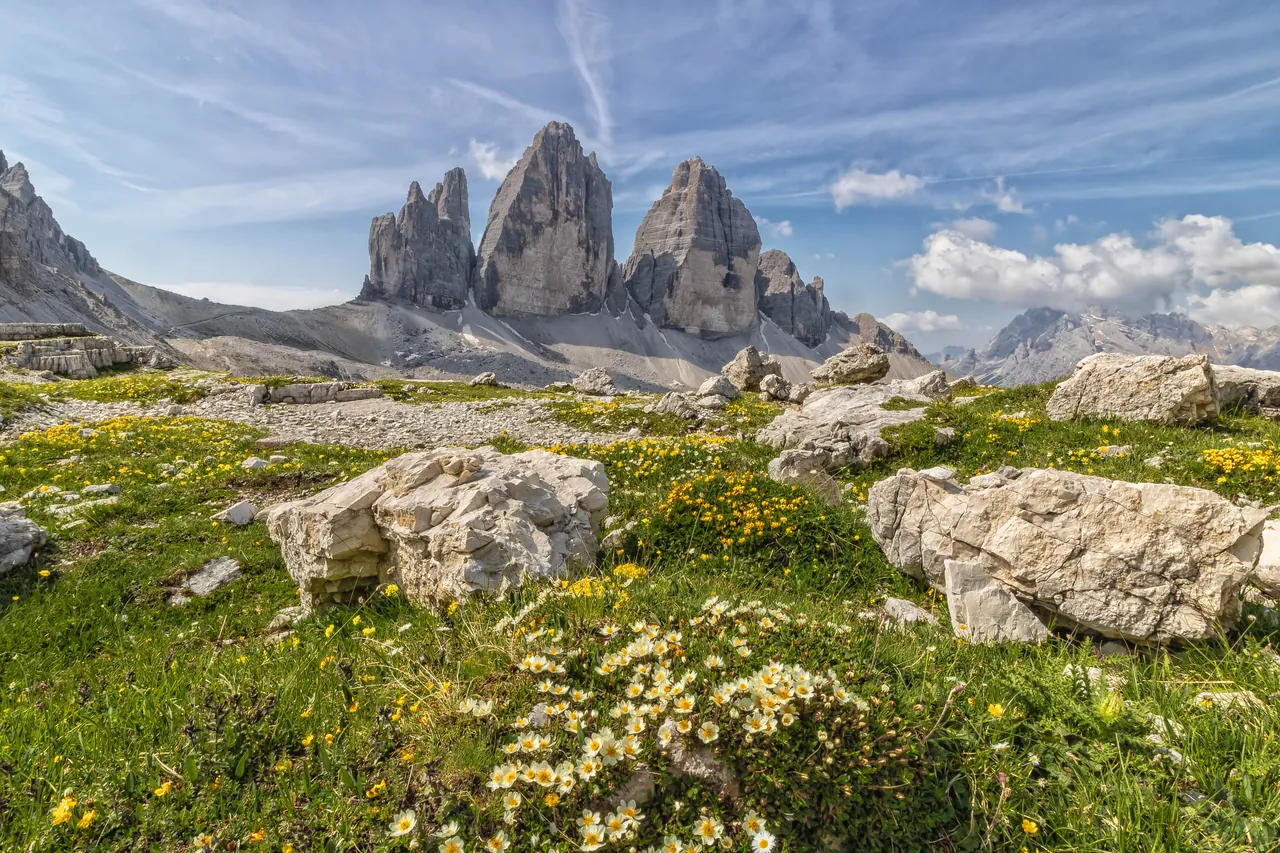
Tre Cime di Lavaredo, Dolomites

The best stops are the ones you'd never have found.

Photo: Tre Cime di Lavaredo by sambuco, CC BY-SA 3.0

Detour Pro

A whole day of stops, built for you.

Say where you start, what you stop for and how far you like to drive. Detour builds the day, or the whole trip, around places worth pulling over for. Keep a stop, swap it or skip it.

What Pro adds
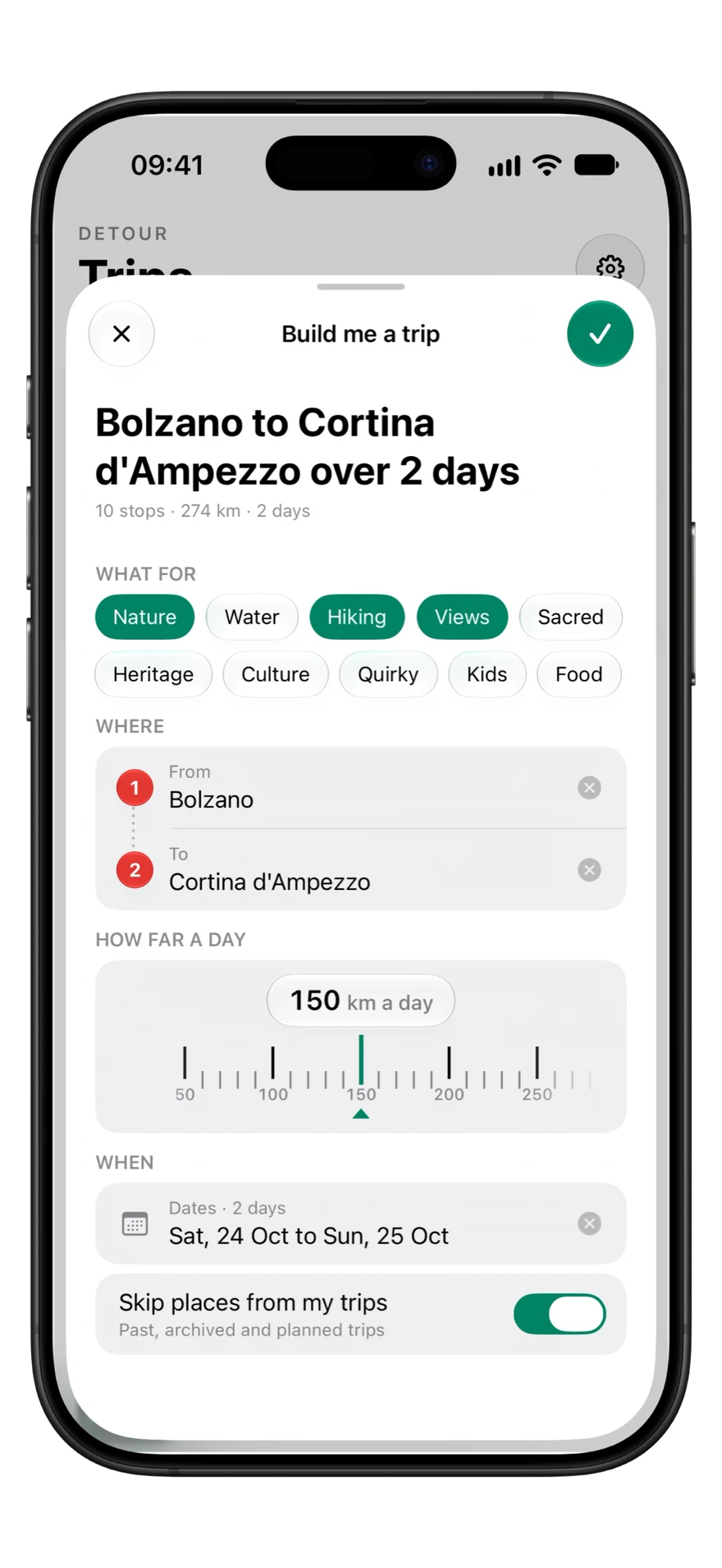
  • Build me a trip, filled in: Bolzano to Cortina d'Ampezzo over two days, 150 km a day, for nature, hiking and views.
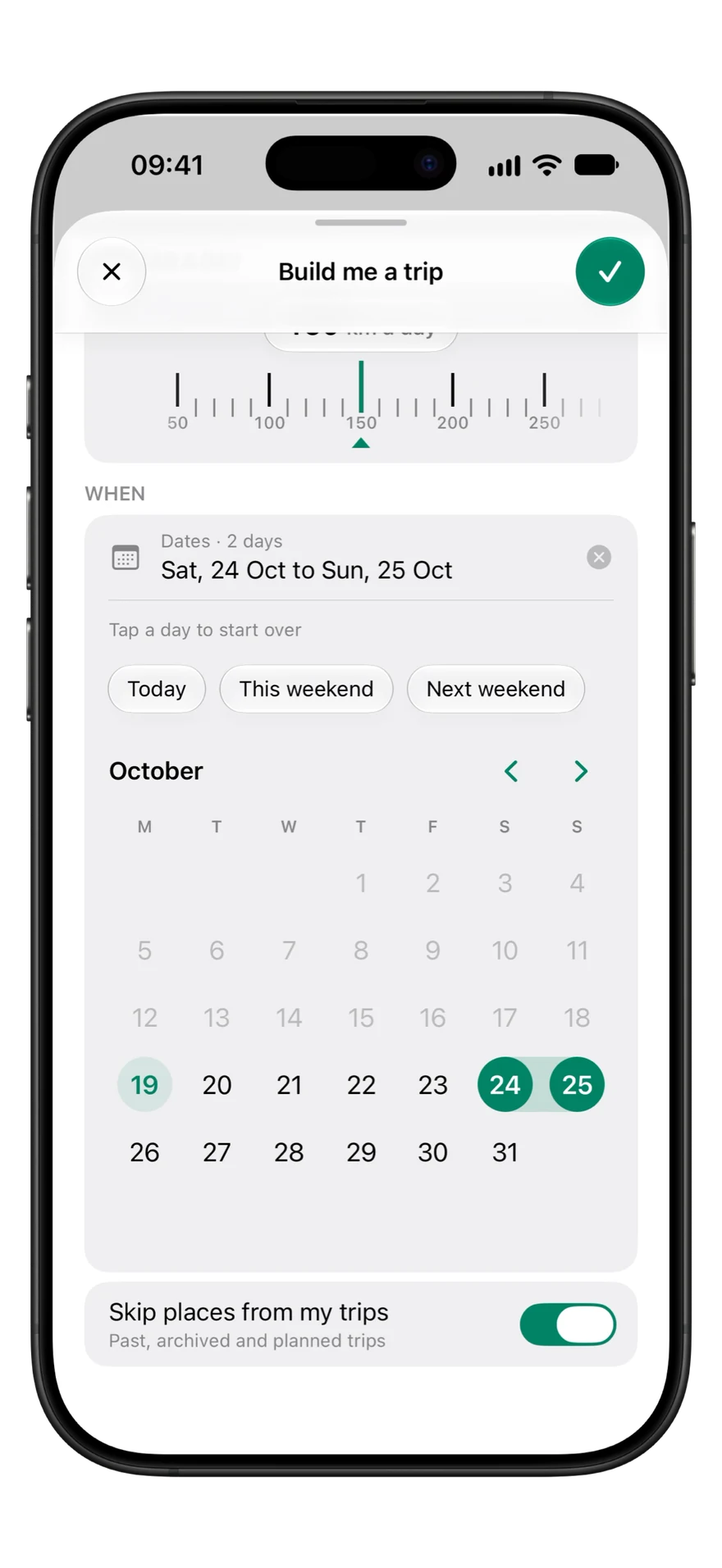
    Build me a trip with its dates open: a calendar with Saturday 24 and Sunday 25 October picked.

    Tell it what you stop for.

    Views, nature, hiking and more. Add a finish and dates, and Detour fills the drive with stops.

Plan it yourself, or let Detour build the day. Either way it stays your trip. Change any stop and keep the rest of the day.

Plan it yourself

Your whole trip, on one map.

Add the places you already know. Detour routes every leg between them and keeps the whole day in view.

A Dolomites loop on the map, the trip's stops beside it.

Reorder Drag a stop and the route follows.

Optimize Detour reorders your stops for less driving.

Add A new stop goes where it fits best, with the time it adds.

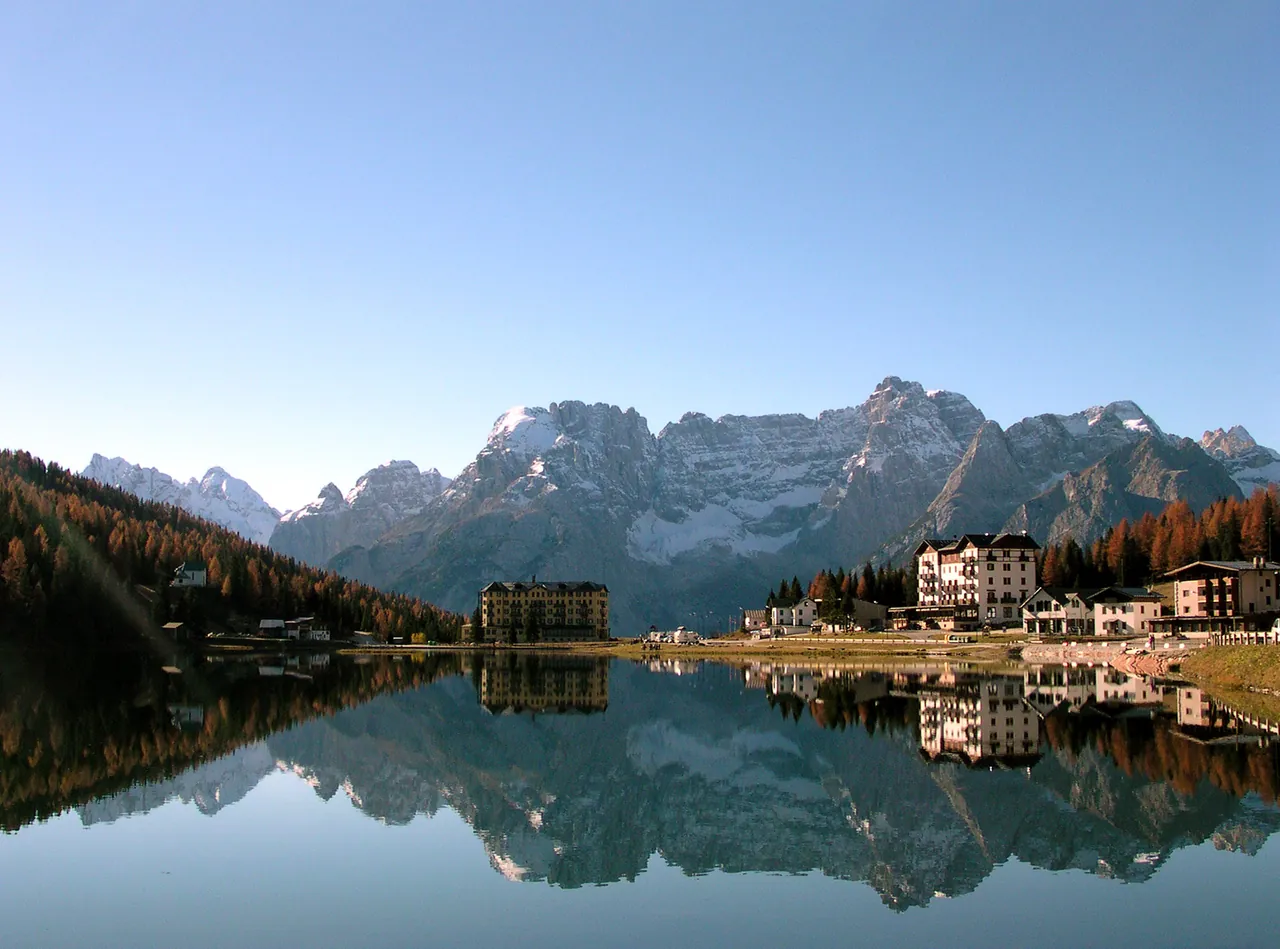
Lago di Misurina, Dolomites

Stop where the view asks you to.

Photo: Lago di Misurina by Giampaolo.Trapasso on it.wikipedia, improved by ThomasKloiber, CC BY-SA 3.0

Every place

Know the place before you go.

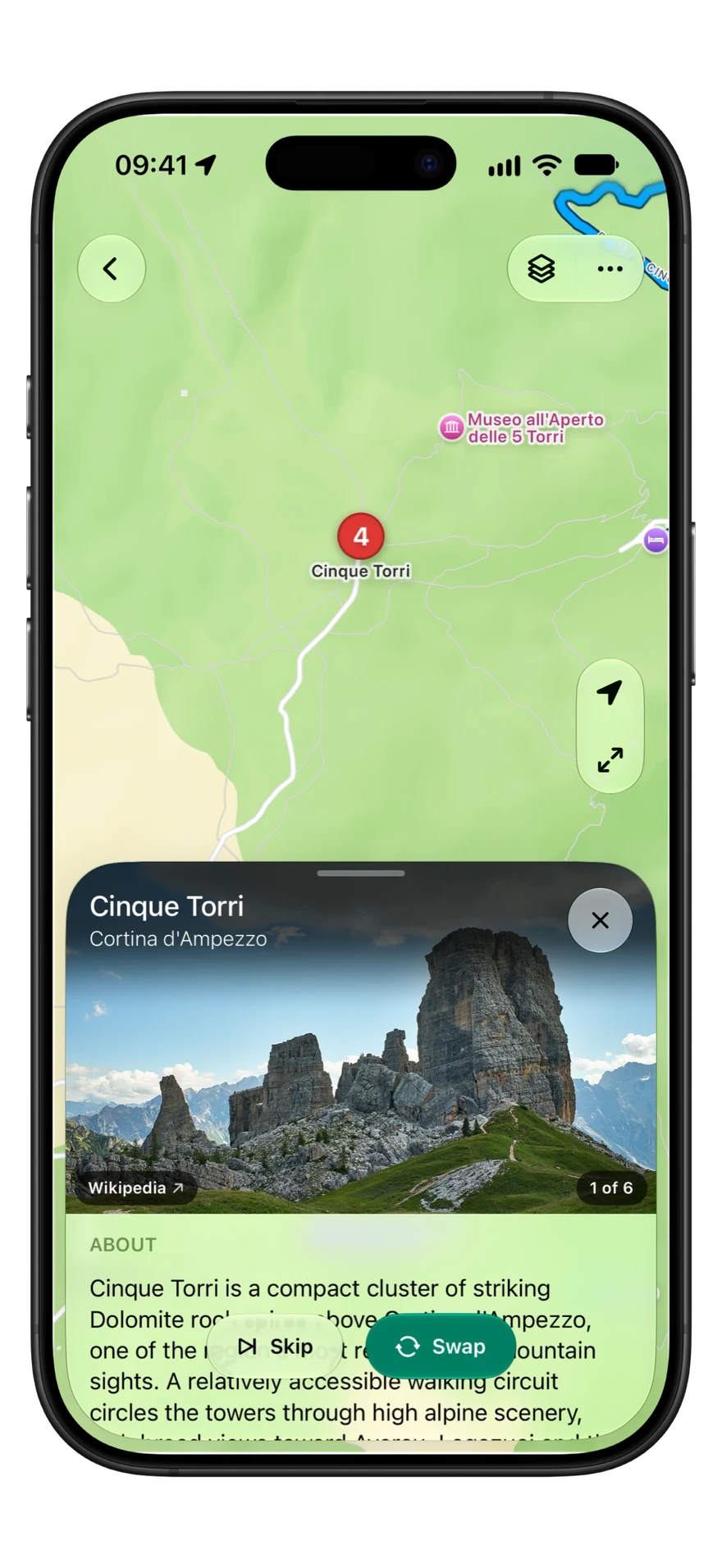
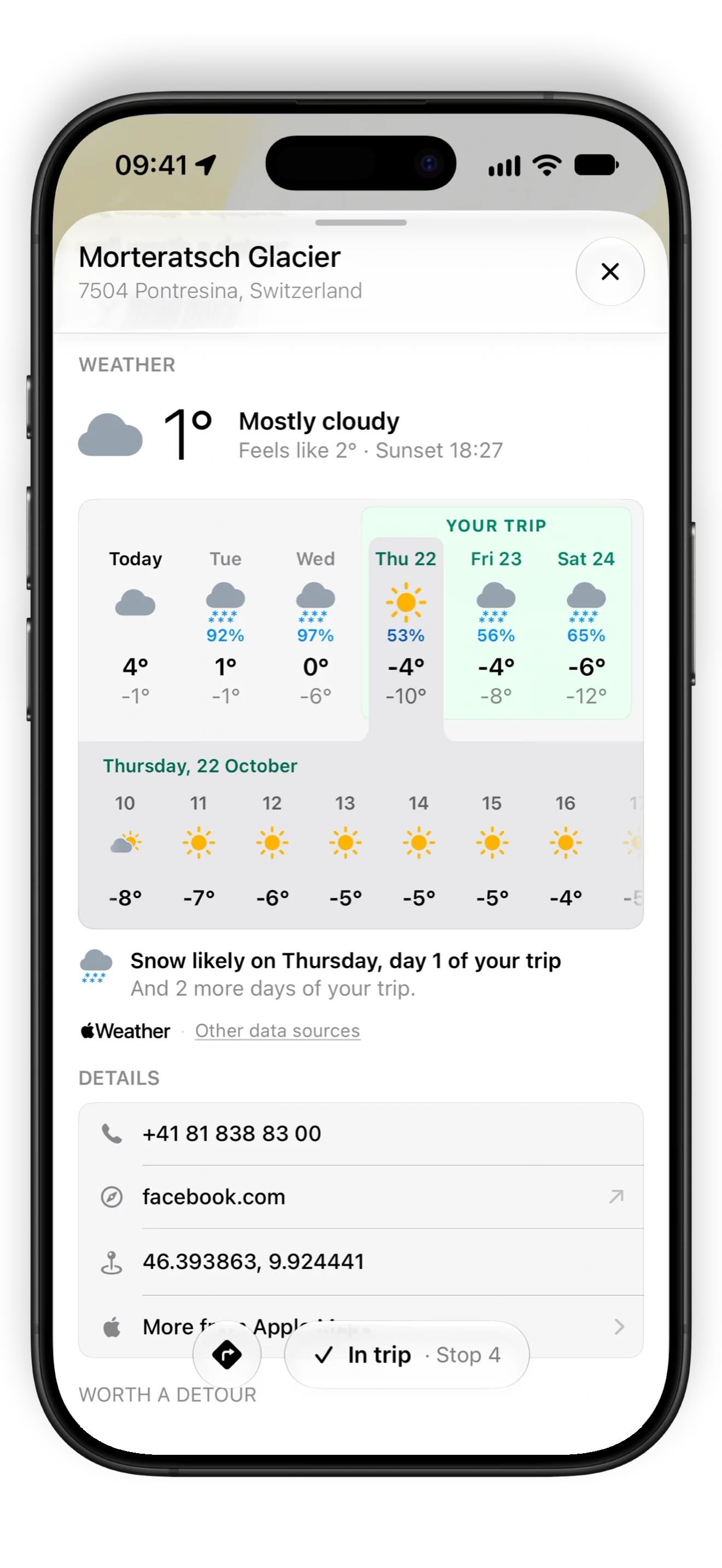
Photos and the weather for every stop, with your trip's days marked in the forecast. With Pro, a short story of what makes each place worth it.

Detour Pro

Why it's worth the stop.

A short write-up of every place, and tips for your visit.

The story

What makes the place worth a visit.

What it is

The highlights to look for when you get there.

Good to know

Tips for your visit, starting with the best time to come.

History

The past behind the place, where it has one.
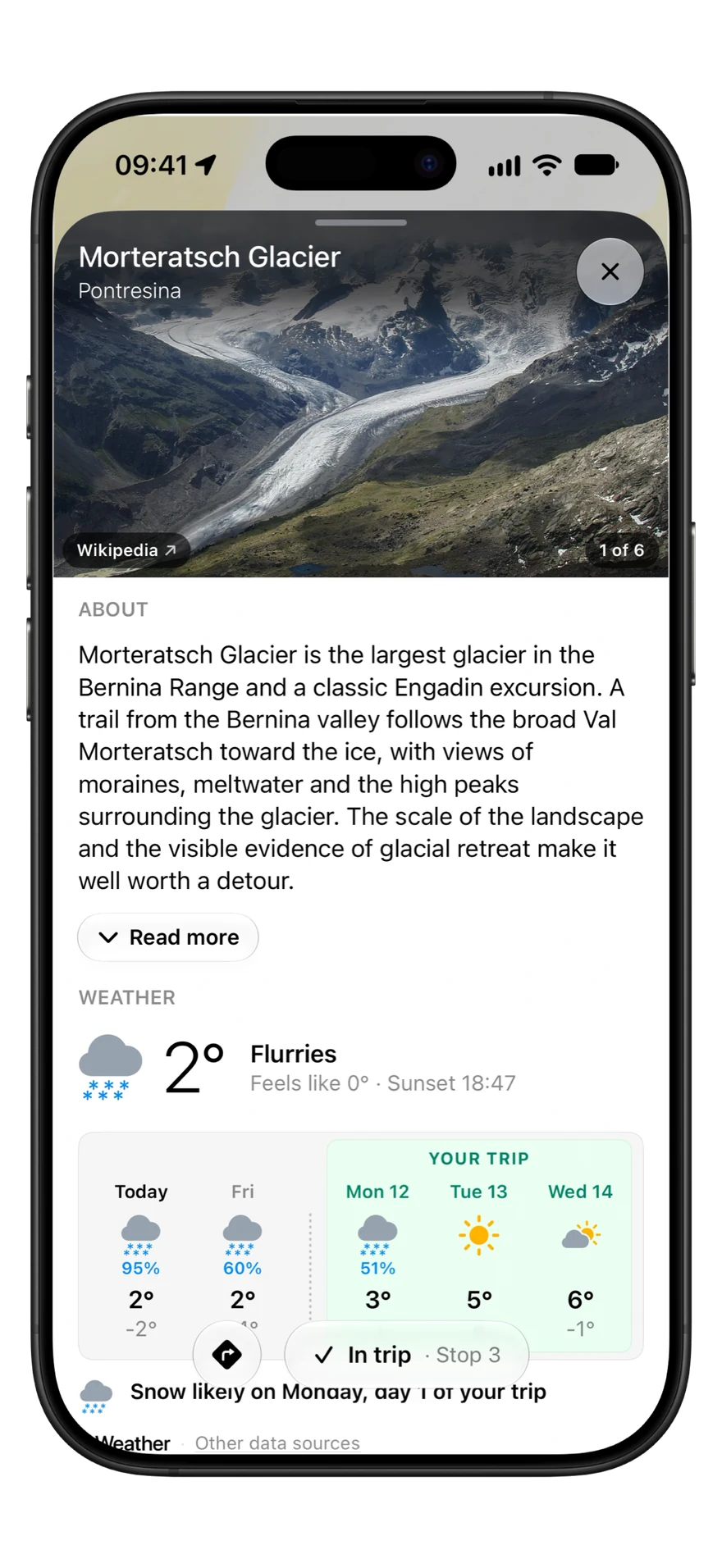
The place card for Morteratsch Glacier: photos, a short write-up, and the weather for the days of the trip.

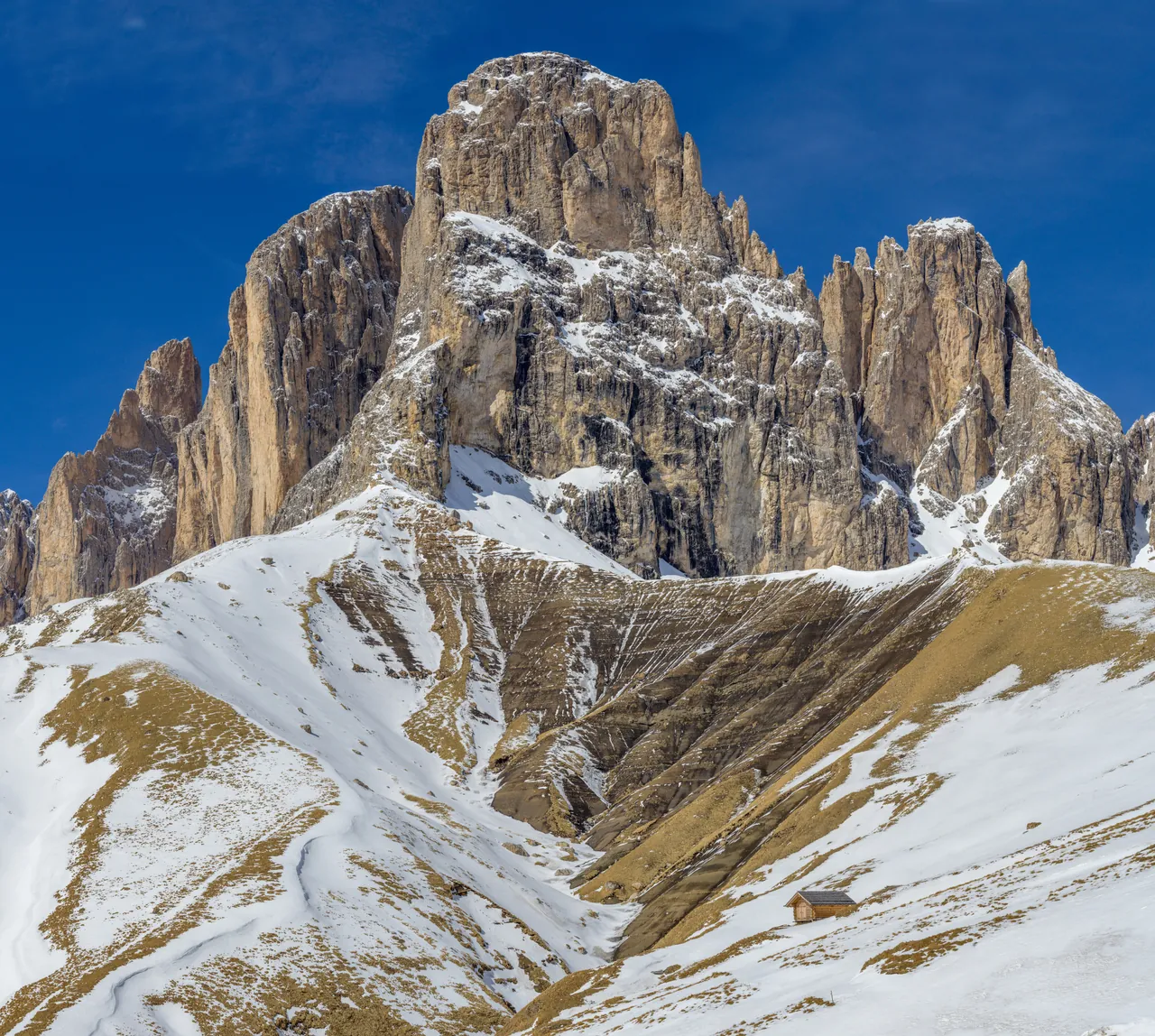
Passo Sella, Dolomites

Half the day is the road there.

Photo: Passo Sella by Wolfgang Moroder, CC BY-SA 3.0

On the road

When you go, go your way.

Hand any stop to Apple Maps, Google Maps or Waze, export the whole trip as GPX, or send it in one link that stays current.

One live link. Friends follow the trip as you change it, or make their own copy.

The Share trip menu in Detour, with the trip's link turned on.

Your maps app. Remembered for next time.

A place card handing the stop to Waze, Google Maps or Apple Maps.

Opens without the app. A shared trip opens on an iPhone without Detour, and in any browser.

An App Clip Code. Scan it with an iPhone camera to open a demo trip in Detour, no download needed.

Private start. A start or finish that is not a named place shows only at town level, unless you choose Exact.

GPX. Export the whole trip for any device that reads it.

Detour Pro

Plan it yourself for free. Let Detour find the rest.

Everything you need to plan a trip you already have in mind is free. Pro is for the days you don't.

Detour

Free

  • Plan on one map, every leg routed
  • Leg preferences for any leg
  • Photos and weather for every place
  • Share, navigate and export GPX
  • One active trip at a time

Nothing to sign up for. Open Detour and start planning. Every trip is saved as you go.

Questions? Answers.

What does Detour Pro add?

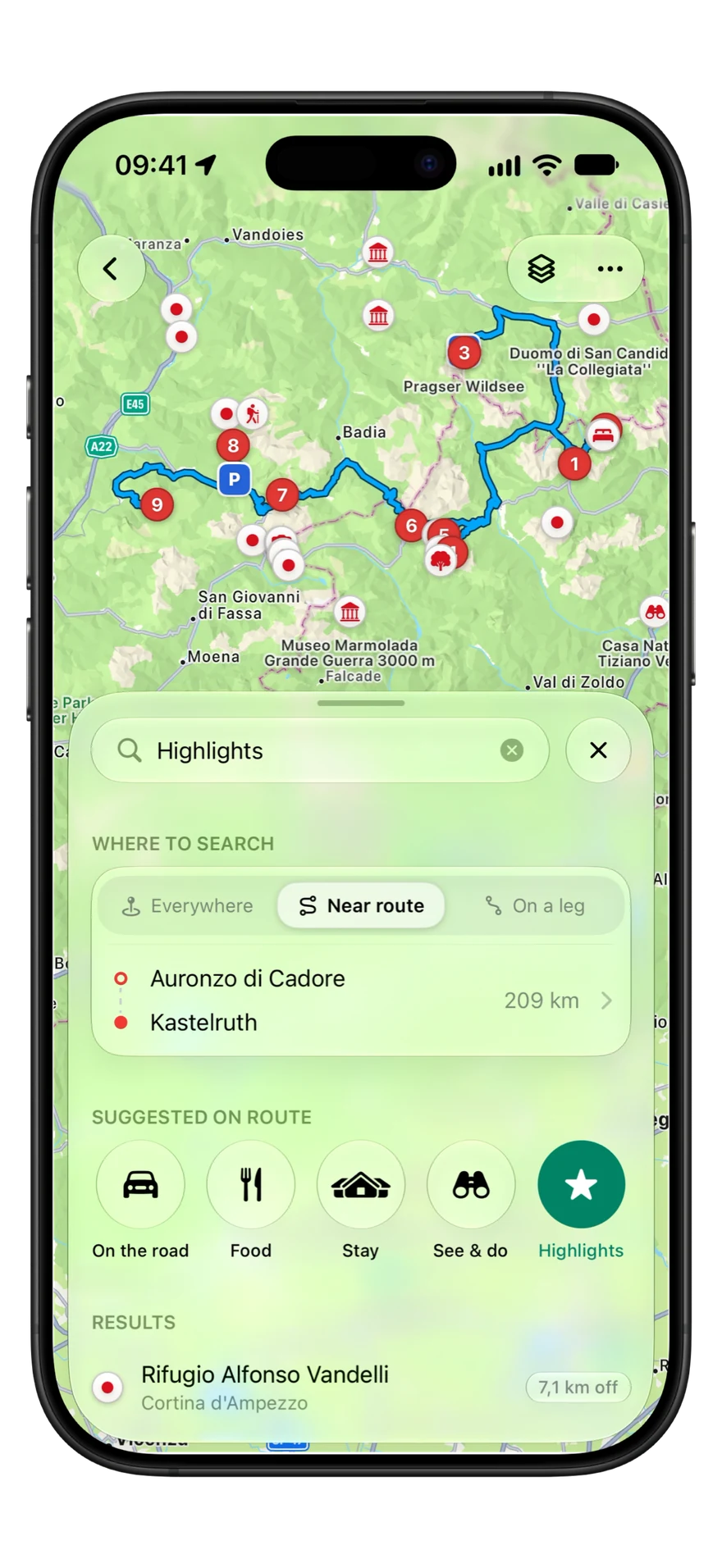
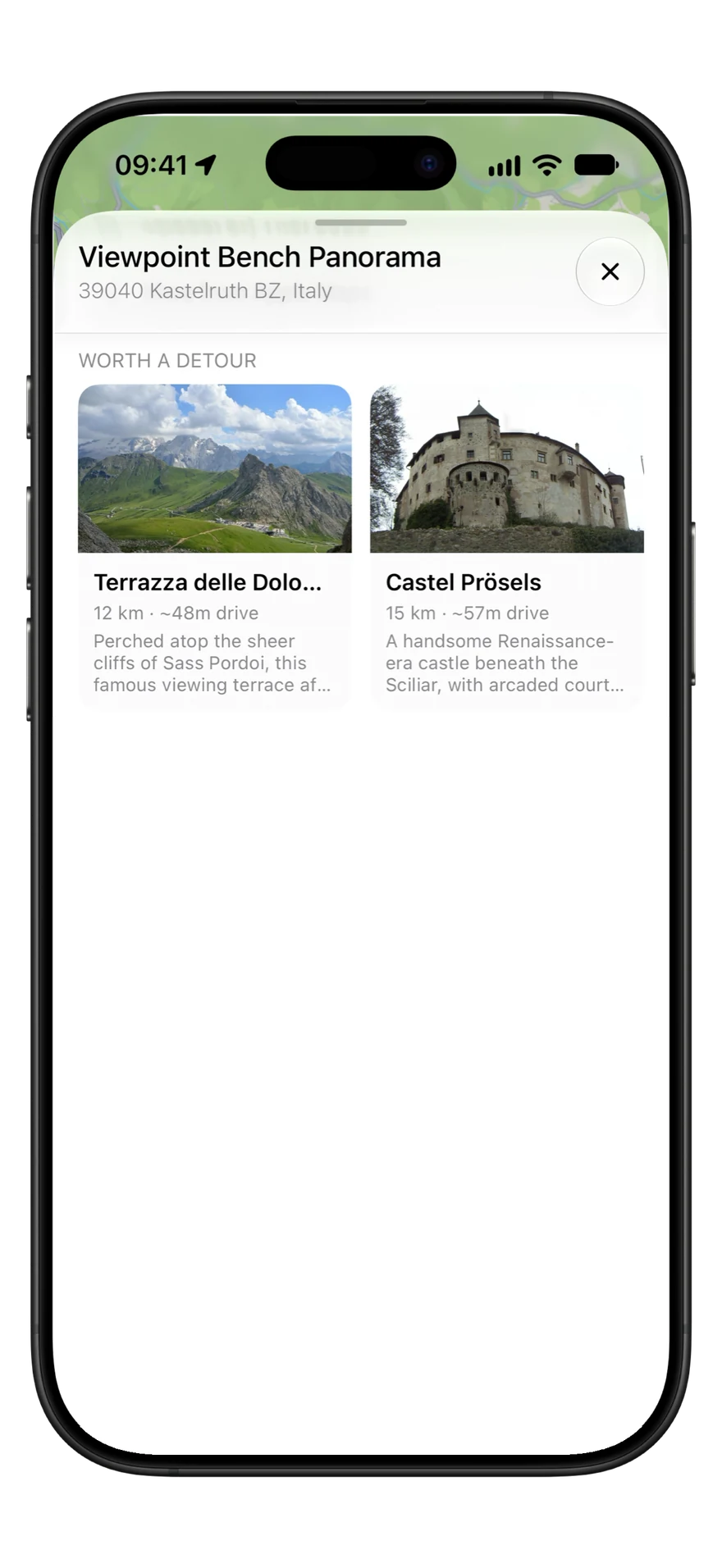
Build me a trip: say where you start and how far you like to drive, and Detour builds the whole day, with Try another, Swap and Skip. Your first built trip is free, and Pro builds every one after it. Pro also adds Highlights along the route, up to ten places worth a detour near each stop, a written description and tips for every place, and no limit on active trips.

How do I cancel?

Subscriptions are handled by Apple. Open the Settings app, tap your name, then Subscriptions, and choose Detour.

Do I need an account?

No. Detour backs up your trips on its own whenever you are online, with nothing to sign up for. To get them back on a new iPhone, Sign in with Apple in Settings, under Account & backup.

How do I avoid tolls or motorways?

Open the trip menu and choose Route preferences. You can keep off toll roads, motorways, ferries or unpaved roads for the whole trip.

Does a shared link show my home?

Not unless you choose it. If the trip starts or ends somewhere that is not a named place, the link shows it only at town level. You can set Start and finish to Exact in the Share trip menu.

Can I use my trip on a GPS device?

Yes. Open the trip menu and choose Export GPX (a trip needs at least two stops), then send the file to any device or app that reads GPX.

Ready when you are

Your next day out starts here

Add your first stop. Detour routes every leg from there.

Download on the App Store

Photos on this page: